
Book Your Recurring Classes for 2027
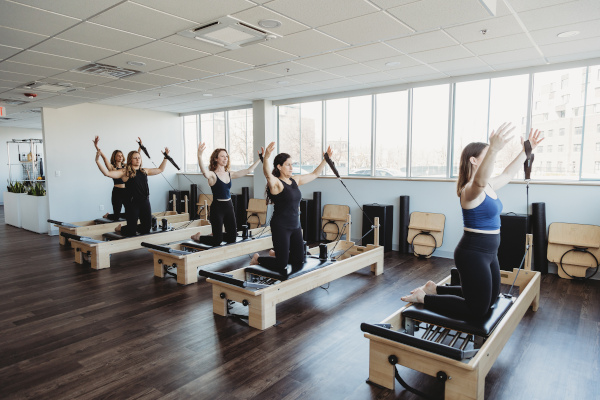
On November 7, 2026, we will release the group class schedule for January through June of 2027. You can make recurring reservations to guarantee your spot in your favorite classes by following the instructions below. A video with detailed instructions is also available at the bottom of this post!
Get Ready to Book: Memberships + Class Packages
Make booking day easier by setting up your membership or purchasing your class package before the schedule opens on November 7th!
Our monthly memberships let you reserve your classes for January through June without paying for six months of Pilates upfront. Choose the membership tier that fits your routine, then follow the instructions below to book your recurring classes.
Prefer a class package? Purchase ahead of time and make sure you have enough class credits to cover the reservations you want to make. Having your account ready means you can focus on booking your favorite classes when the schedule opens.
Sign Up for a Monthly Membership
Steps to Book Recurring Classes
- Use your computer or laptop to go to the Mindbody website (*Please note: This is a special site that you won’t find by doing a browser search).
- Click “Sign In” located in the upper right corner of the screen (*Please note: If the link takes you to a screen that asks you to search for the business, type or copy and paste “ID Pilates”. Then click “Sign In”).
- Enter your Mindbody login information and click “Sign In”
- Click on the “Classes” tab
- Make sure you choose the location you would like to attend: “All locations”, “I·D Pilates- Buffalo” or “I·D Pilates- Clarence”
- Choose the week you are looking for by scrolling or click on the calendar symbol to pick the date
- Once on the week that you want, scroll to the class you would like to sign up for and click “Sign Up Now”
- On the next screen, you can book a single reservation or a recurring reservation. For the recurring reservation, look at the right side of your screen, pick the start and end dates for the class you want to attend and click “Make a recurring reservation”. (*Please note: For Unlimited clients and monthly membership clients, you will choose “Register as Unpaid”)
- The next screen will show you the classes you are enrolled in
PLEASE NOTE THE FOLLOWING:
*When booking the recurring reservation and choosing an end date, the system will show you all the dates. If you don’t have enough passes on your account to cover all the classes you will be prompted to purchase another package.
*The system will show you classes that are already booked (and therefore unavailable) but will not add you to the waitlist. Take note of the classes that are unavailable and manually add yourself to the waitlist for that class.
*Unlimited membership clients: We ask that you don’t book yourself into multiple classes in a day unless you plan to attend all classes.
Leave a Reply
Want to join the discussion?Feel free to contribute!